VPN, который
не нужно выключать.
Банки, Госуслуги и маркетплейсы идут напрямую через провайдера и работают как обычно. Весь остальной трафик — в зашифрованном канале на нашем протоколе.



Свой алгоритм шифрования
для особых зон.
Часть сетей фильтрует трафик особенно жёстко — мобильные операторы, отдельные регионы и места. Для таких особых зон мы используем фирменный алгоритм шифрования: канал маскируется и дробится, чтобы оставаться на связи там, где обычные протоколы отваливаются.
- Фирменный протокол Wrab — спроектирован под самые требовательные сети.
- Клиент сам распознаёт особую зону по метке сервера и переключается.
- Трафик маскируется под обычный — без тумблеров и ручной настройки.
Российские сервисы работают как обычно.
Wrab не гонит весь трафик через себя. Банки, Госуслуги и маркетплейсы идут напрямую через провайдера — даже с включённым VPN. Остальное едет через зашифрованный канал.
Российские сервисы
Идут напрямую через провайдера
Остальной интернет
Едет через защищённый канал
Цена.
Бесплатный пробный день — для знакомства. Подписка — когда понравится. Без автопродлений и скрытых списаний.
СБП · Мир · Visa · Mastercard · без привязки карты
Вопросы.
Чем Wrab отличается от других VPN?
Главное отличие — схема маршрутизации. Большинство VPN отправляют через свой канал ВЕСЬ трафик, поэтому банки требуют подтверждение, маркетплейсы просят капчу, а Госуслуги отказывают во входе. Wrab разделяет трафик по адресу: российские сервисы идут через вашего провайдера как без VPN, остальное — через защищённый канал. Поэтому всё работает одновременно, и VPN не нужно выключать.
В каких приложениях работает доступ?
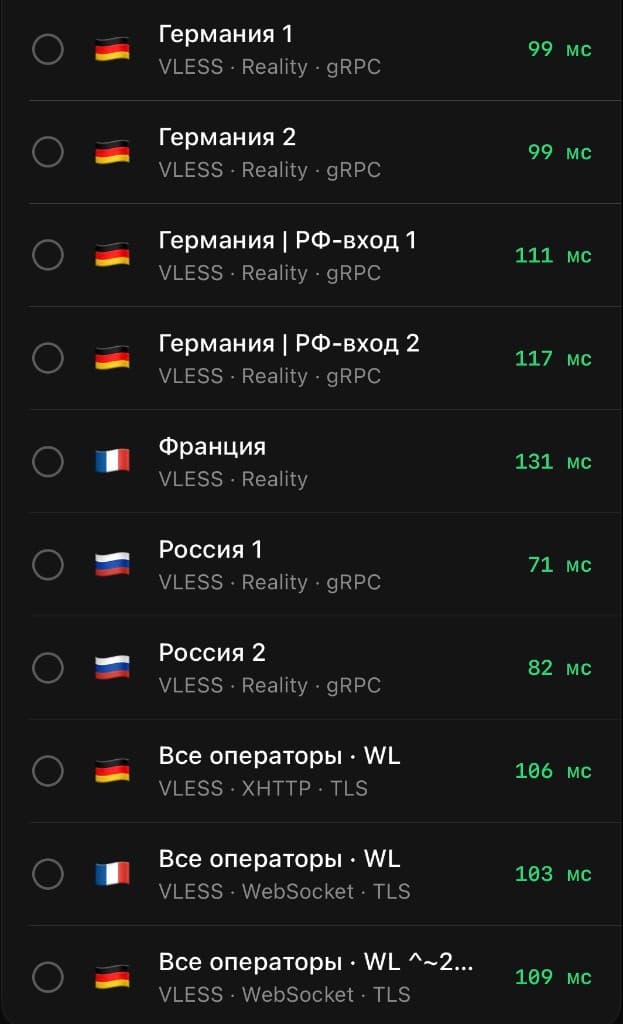
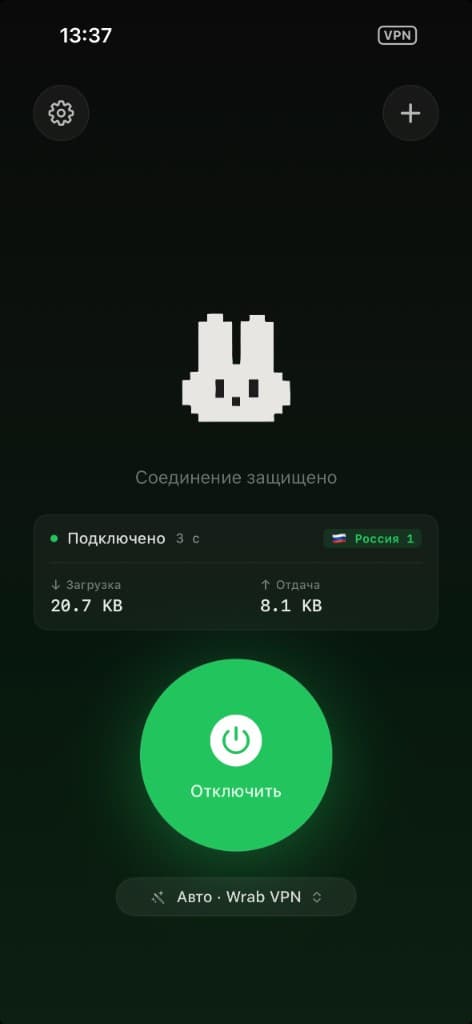
В совместимых клиентах — Wrabbit Proxy (iPhone и Mac) и happ (iPhone, Android, Windows, macOS, ТВ). Доступ добавляется в один тап — по ссылке или QR-коду из личного кабинета. Один доступ работает на всех ваших устройствах.
Что за два режима соединения?
У вас есть выбор: фирменный протокол Wrab (мы спроектировали его сами под современные сети — он держит соединение в самых требовательных условиях) и классический режим (проверенный международный стандарт, оптимален для обычных сетей). По умолчанию работает «Авто» — приложение само выбирает рабочий вариант. Можно переключить вручную в настройках.
Банки, Яндекс, Ozon, WB — будут тормозить или просить капчу?
Нет. Через Wrab они не идут — работают как без приложения. Это и есть главное отличие.
А если сеть необычная? Офис, отель, аэропорт.
Обычно работает. Если в одной сети не сработал «Авто» — попробуйте переключить режим вручную. В отдельных сетях с очень жёсткой фильтрацией соединение может не установиться — попробуйте другую сеть.
Что вы храните?
Email, историю платежей, публичный ключ устройства — это нужно для работы сервиса. Куда вы ходите, когда и сколько — мы не пишем и не имеем технической возможности расшифровать.
Возврат?
Пробный день бесплатный — это и есть тест, возвращать нечего. По доступу на месяц или 3 месяца: если не работает — вернём пропорционально остатку. Напишите в @wrab_bot.
Android, Mac, Windows?
Да. Доступ работает на iPhone, Mac, Android, Windows и ТВ. На iPhone и Mac — приложение Wrabbit Proxy, на остальных платформах — совместимый happ. Один доступ — все устройства.
Если я перестану платить?
7 дней grace-периода: канал не работает, аккаунт сохраняется. После — удаляем.
Попробуйте сегодня —
бесплатно.
Без автосписаний, без привязки карты, без подвохов. Не понравится — удалили и забыли.